
AI Assistant: ask your ERP anything
Ask questions in plain English and get answers, tables and charts from your live ERP data.
What it does
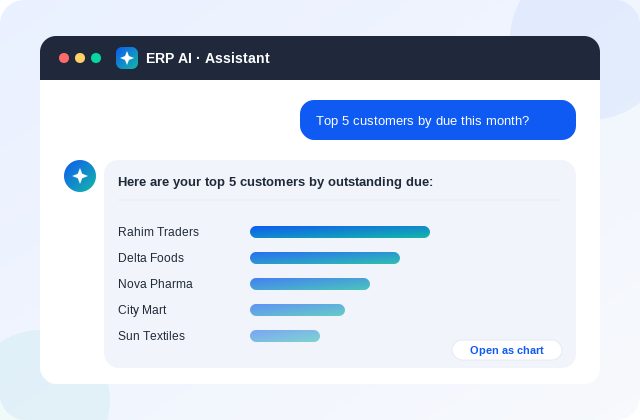
Instead of searching through menus and reports, ask ERP AI the way you would ask a colleague. It reads your ERP data and answers in seconds with a number, a table or a chart you can open, filter and share.
- Ask in plain English, with no report builder or formulas to learn.
- Answers come from your live ERP data: sales, stock, accounts, purchase, HR and production.
- Follow-up questions keep the context ("now only Dhaka branch", "compare with last month").
- Turn any answer into a chart or a table and share it with your team.
- Works inside ERP.COM.BD, with the same users and roles as your ERP.
Questions you can ask
A few examples of AI Assistant at work in ERP.COM.BD.
More ERP AI capabilities
Each capability works on its own and gets stronger together.
Questions about AI Assistant
What does AI Assistant do?
Ask questions in plain English and get answers, tables and charts from your live ERP data. Instead of searching through menus and reports, ask ERP AI the way you would ask a colleague. It reads your ERP data and answers in seconds with a number, a table or a chart you can open, filter and share.
Which ERP modules does it work with?
It works with Sales, Accounts, Inventory, HRM and the rest of your ERP.COM.BD data.
Is AI Assistant available now?
Yes. ERP AI, including AI Assistant, is live in ERP.COM.BD. Book a demo and we will show it on data like yours.
Which language does ERP AI use?
ERP AI works in English: you ask questions and receive answers and summaries in English.
See AI Assistant on your own kind of data
Book a live ERP AI demo with the ERP.COM.BD team.
Book an ERP AI demo